
DevTools
Work in Progress
mobx-view-model-devtools is currently a WIP project. The API and features may change at any time.
A standalone devtools panel for inspecting and debugging your ViewModel instances in real time.
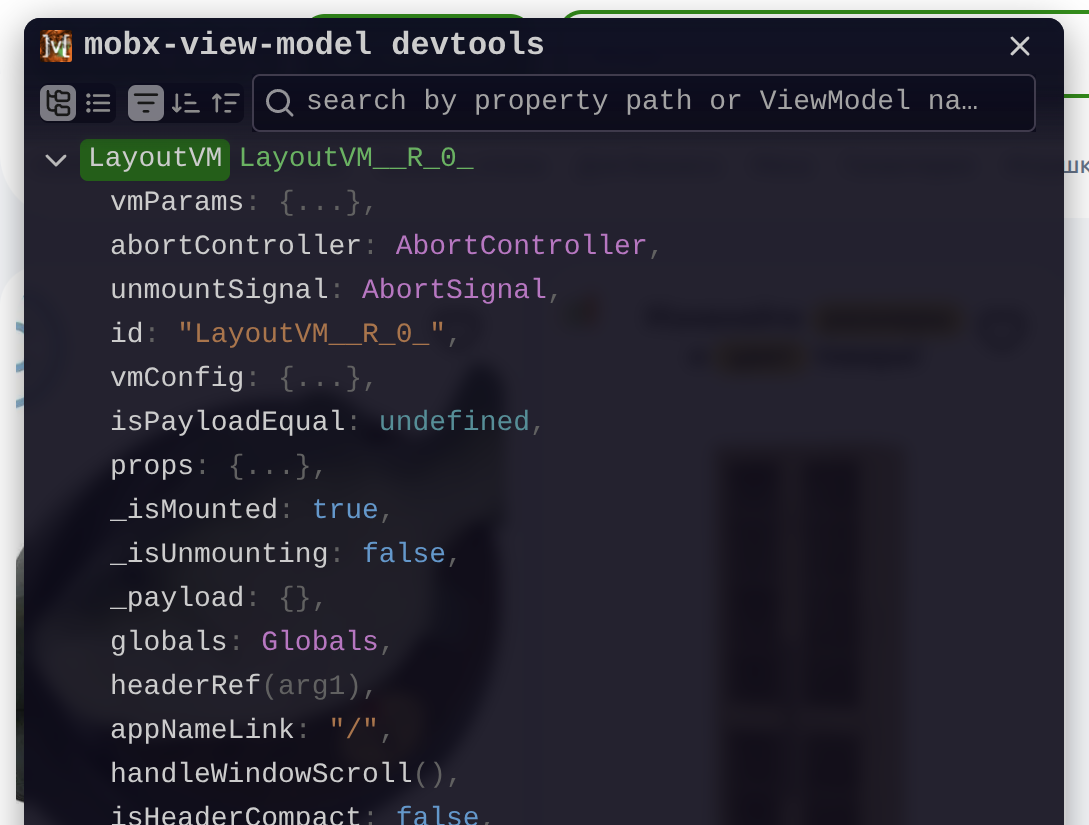
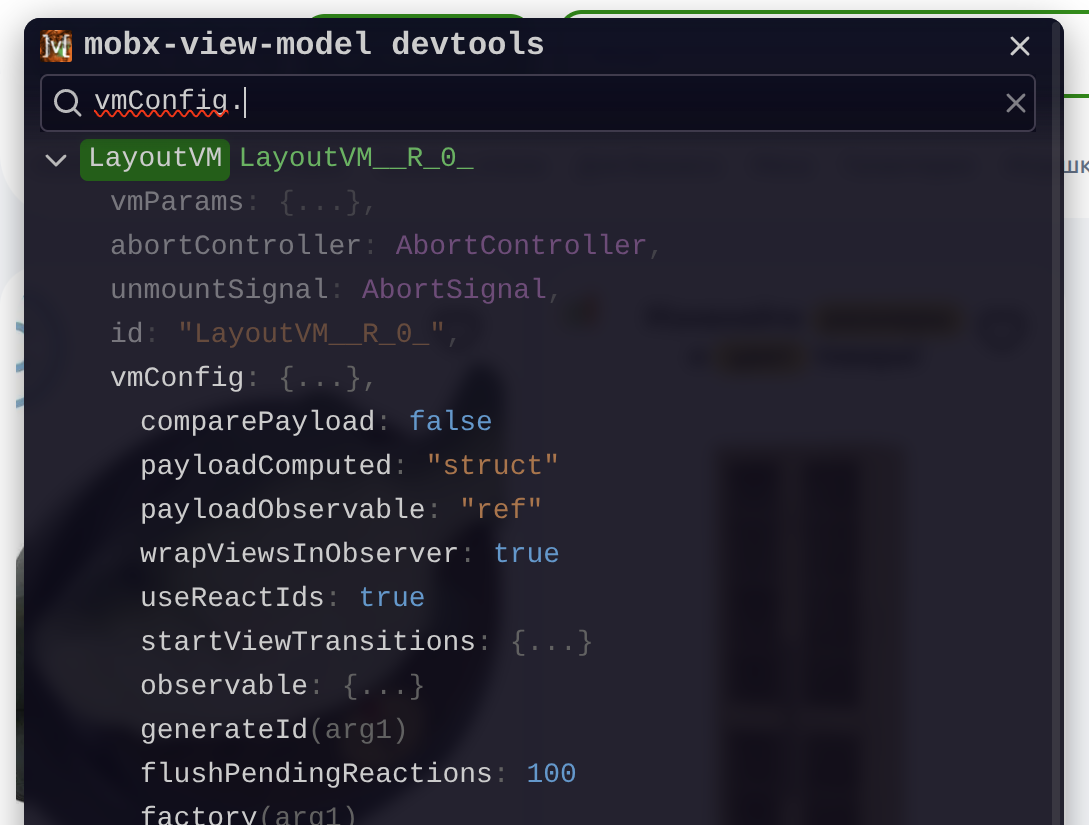
Source: js2me/mobx-view-model-devtools
Installation
The easiest way to inject the devtools is via a <script> tag — no npm install required.
Option 1 — async script (recommended)
<script
  async
  crossorigin="anonymous"
  src="https://unpkg.com/mobx-view-model-devtools/auto.global.js"
></script>
Option 2 — dynamic fetch
Use this approach when you need finer control over when the script is loaded (e.g. only in development mode):
<script>
  fetch('https://unpkg.com/mobx-view-model-devtools/auto.global.js').then(async response => {
    const script = await response.text();
    const scriptElement = document.createElement('script');
    scriptElement.innerHTML = script;
    document.head.appendChild(scriptElement);
  });
</script>
Option 3 — package dependency
Install the devtools package with your package manager:
npm install mobx-view-model-devtoolspnpm add mobx-view-model-devtoolsyarn add mobx-view-model-devtoolsThen import and connect it directly from your application code:
import { ViewModelDevtools } from 'mobx-view-model-devtools';

ViewModelDevtools.connect(viewModelStore);
To keep the devtools out of production bundles, load the package only in development:
if (process.env.NODE_ENV === 'development') {
  import('mobx-view-model-devtools').then(({ ViewModelDevtools }) => {
    ViewModelDevtools.connect(viewModelStore);
  });
}
Option 4 — Vite plugin
If you're using Vite, the mobx-view-model-vite-plugin can connect the devtools automatically — no manual setup required:
import { mobxVmVitePlugin } from "mobx-view-model-vite-plugin";

export default {
  plugins: [mobxVmVitePlugin({ devtools: true })],
};
Connecting to a ViewModelStore
The automatic script and the Vite plugin subscribe to store creation and connect stores for you. The automatic script also connects the most recently created store if it loads after that store. Call connect() only when you import the package directly:
ViewModelDevtools.connect(viewModelStore);Example
import { ViewModelStoreBase } from 'mobx-view-model';

const viewModelStore = new ViewModelStoreBase();

ViewModelDevtools.connect(viewModelStore);
Connecting extra data
You can also expose arbitrary data (e.g. global stores, services) alongside your ViewModels:
ViewModelDevtools.connectExtras({ foo: 'bar' });This is useful for attaching a RootStore or any other object you want to inspect in the panel.
Development-only setup
To avoid loading devtools in production, wrap the injection in a condition:
if (import.meta.env.DEV) {
  const script = document.createElement('script');
  script.src = 'https://unpkg.com/mobx-view-model-devtools/auto.global.js';
  script.crossOrigin = 'anonymous';
  script.async = true;
  document.head.appendChild(script);
}